Using ISOtherapist for your organization
Build a list of providers you trust, describe what someone needs, and see which of them fits best. The screenshots below use made-up demo data.
Create your organization account
Sign up as an organization, confirm your email, and you land on your organization dashboard. If you are also a therapist or prescriber, you can add an organization to your existing provider account from Settings instead of creating a second login.
Build your referral list
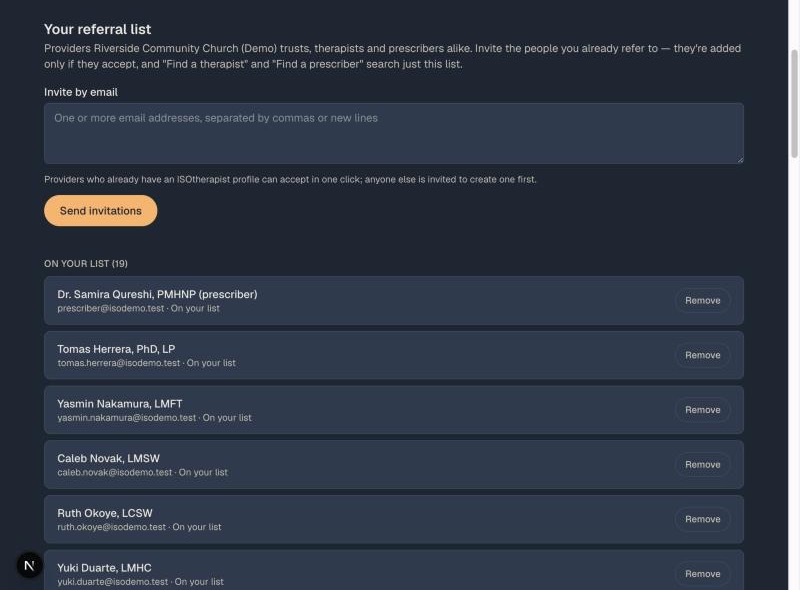
On your dashboard, enter the email addresses of providers you already refer to, separated by commas or new lines, and choose Send invitations. You can invite up to 50 at a time.
Providers who already have an ISOtherapist profile can accept in one click. Anyone new gets a link to create a free profile that only your organization can find; it is not shown to the wider network unless they choose full membership later. A provider is added to your list only if they accept, and they can leave at any time. You will see who is on your list, who is still pending, and who declined.
Prescribers can be on your list too. Invite them the same way, and they accept with their prescriber profile.
Describe what the person needs
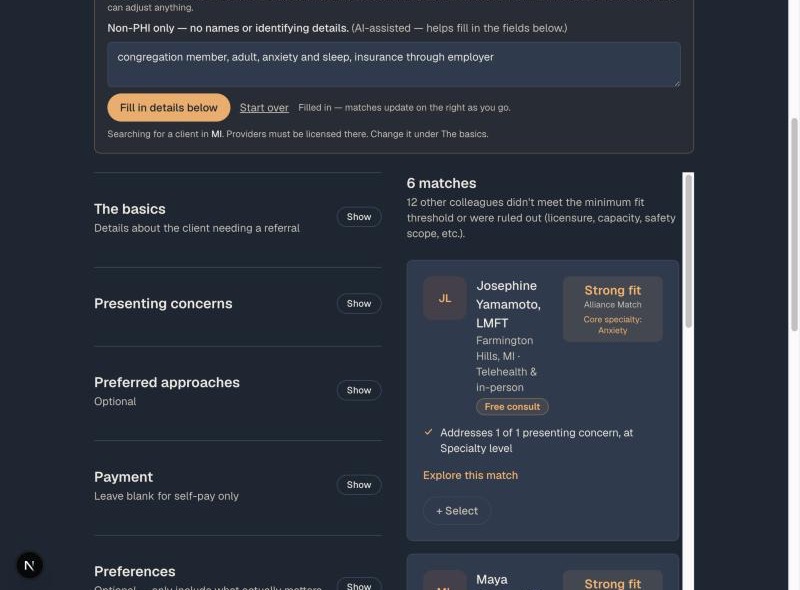
Open Find a therapist. Write a short note about what the person needs, with no names or identifying details, and choose Fill in details. Review what was filled in, adjust anything, and add detail like insurance or the kind of approach that would suit them. Results update as you go.
The search covers only the providers on your list. Each result shows a fit label (Excellent, Strong, Good, or Possible), shaded so that darker means a stronger fit, a line on how deep the provider goes on the main concern, and the reasons it fits. If you pick more than one concern, say which one is the main one. You can also say how soon the person needs to start, mark anything that is a must-have, and choose a style of provider with one click.
Know who you want already? Use Find by name. Pasting a different description over the old one starts a fresh search, and Start over clears everything.
Need a prescriber? Search those too
Choose Find a prescriber in the top menu. It works the same way, and searches the prescribers on your list. Say whether the person is likely to need a controlled medication (stimulants, benzodiazepines, or buprenorphine). A prescriber who does not prescribe it, or whose own rules cannot be met, is left out. Sending, recording, and searching the wider network all work exactly as described below.
Send a referral or just record it
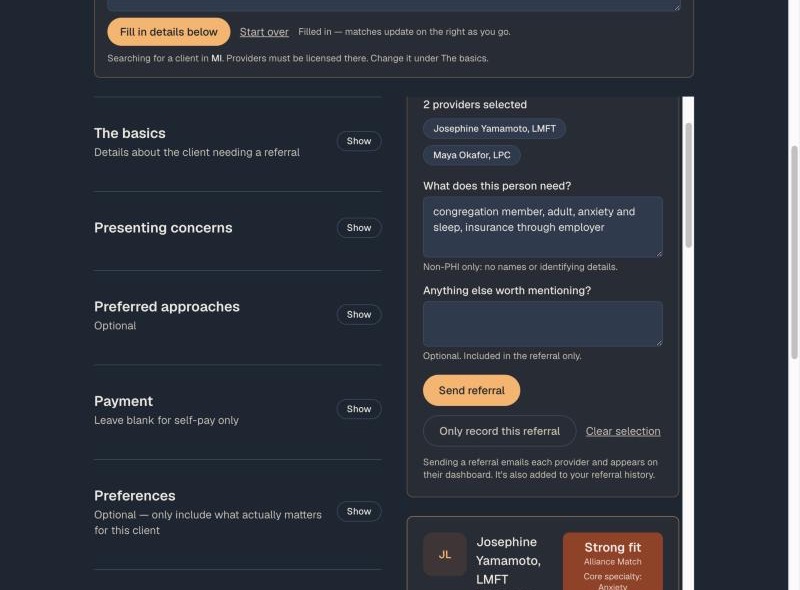
Choose + Select on up to five providers. A panel appears where you can add a short, non-identifying summary and anything else worth mentioning. Then choose Send referral to email each of them, or Only record this referral if you are handling the introduction yourself.
When you send to more than one provider, each of them is told who else was asked, so nobody is surprised. The provider sees your organization's name and responds from their dashboard.
Search the wider network if your list does not fit
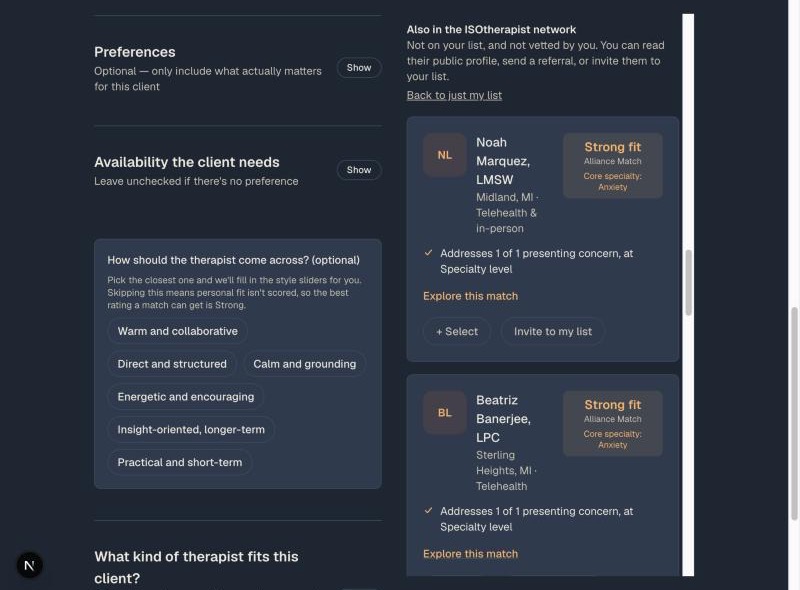
If nobody on your list is right, choose Search the wider network. A separate section appears, labeled "Also in the ISOtherapist network," with providers who are not on your list and not vetted by you. You see their public profile only. You can select them for a referral, or choose Invite to my list to add them for next time. Choose Back to just my list to hide them again. Therapists and prescribers can opt out of appearing here from their Settings.
Track what you have sent
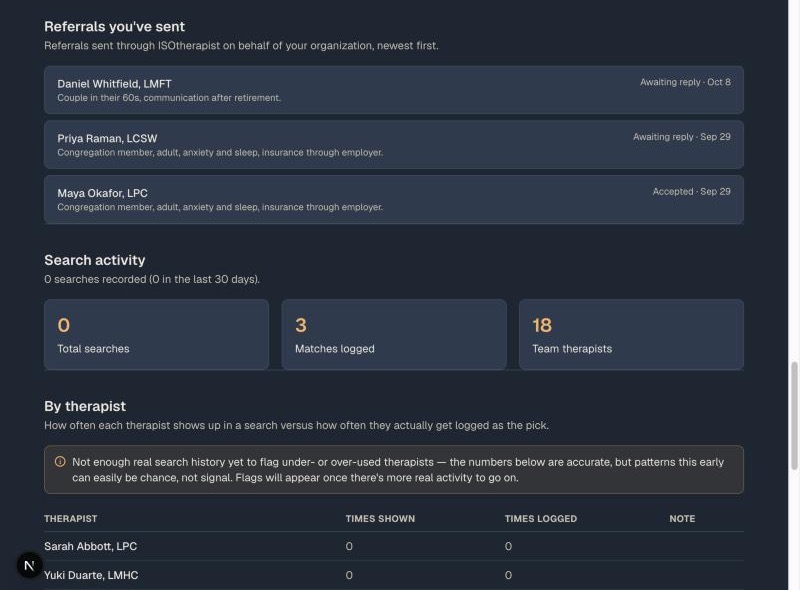
Your dashboard lists every referral you have sent, newest first, with the status (awaiting reply, accepted, or declined). Below it you can see how often each provider on your list appears in searches versus how often you choose them, and what kinds of needs come up most.
Add colleagues from your organization
Use Invite staff on the dashboard to give a coworker their own login for searching and recording referrals. You can remove their access at any time.
Good to know
- You see only what is on a provider's public profile, never the private notes providers share with each other.
- Providers choose to join your list and can leave whenever they like. You are told if they do.
- Never put a person's name or identifying details in a summary. Describe the need, not the person.
- A fit label is a starting point for your judgment, not a verdict. The How it works page explains in plain language what goes into one.
Questions? Use Suggest an improvement at the bottom of any page. Running a group practice instead? See the practice guide.